Get a Clear View of Where Your Money Works — With Transparency Dashboard and Desktop Mode
Transparency Dashboard
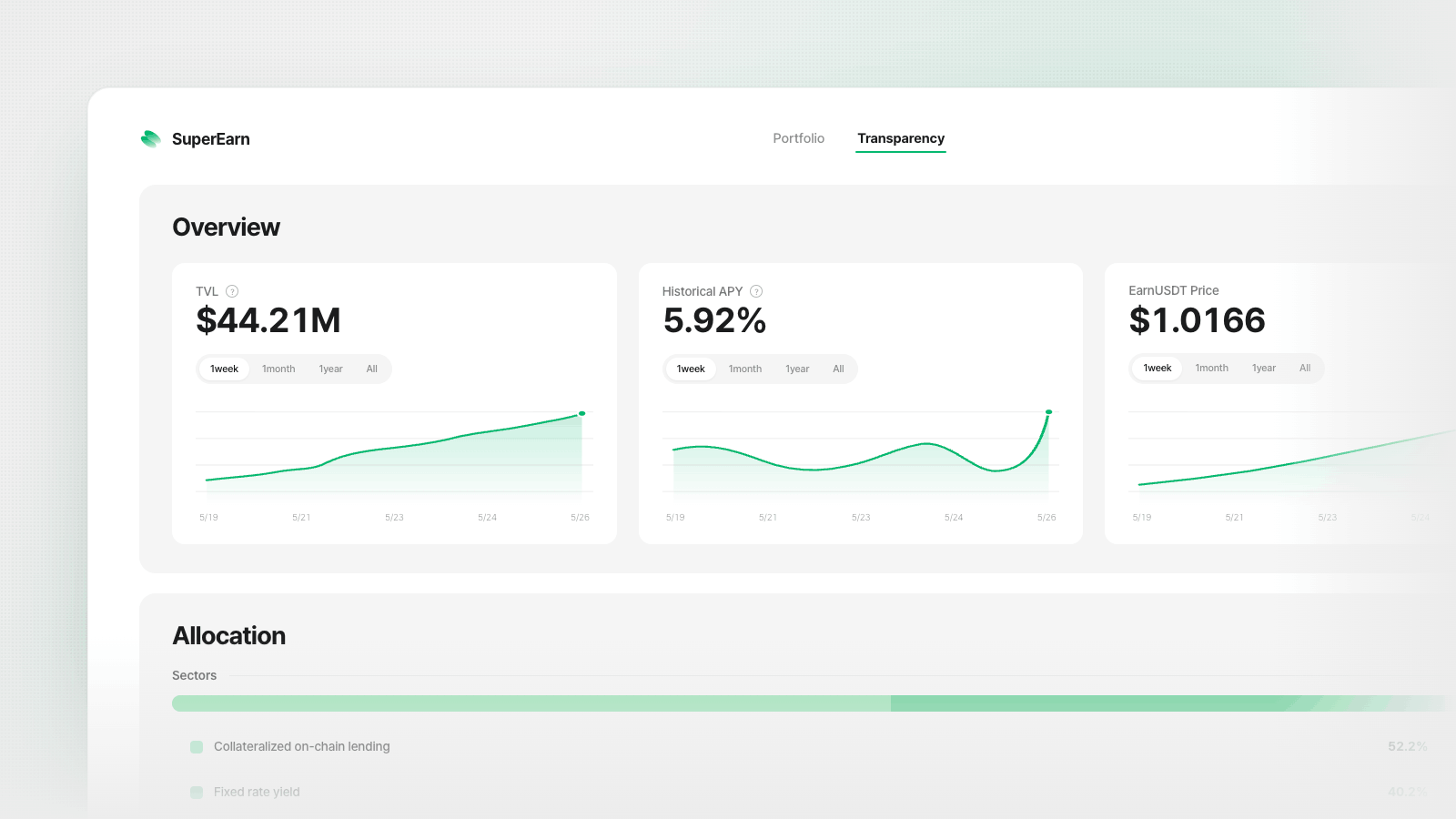
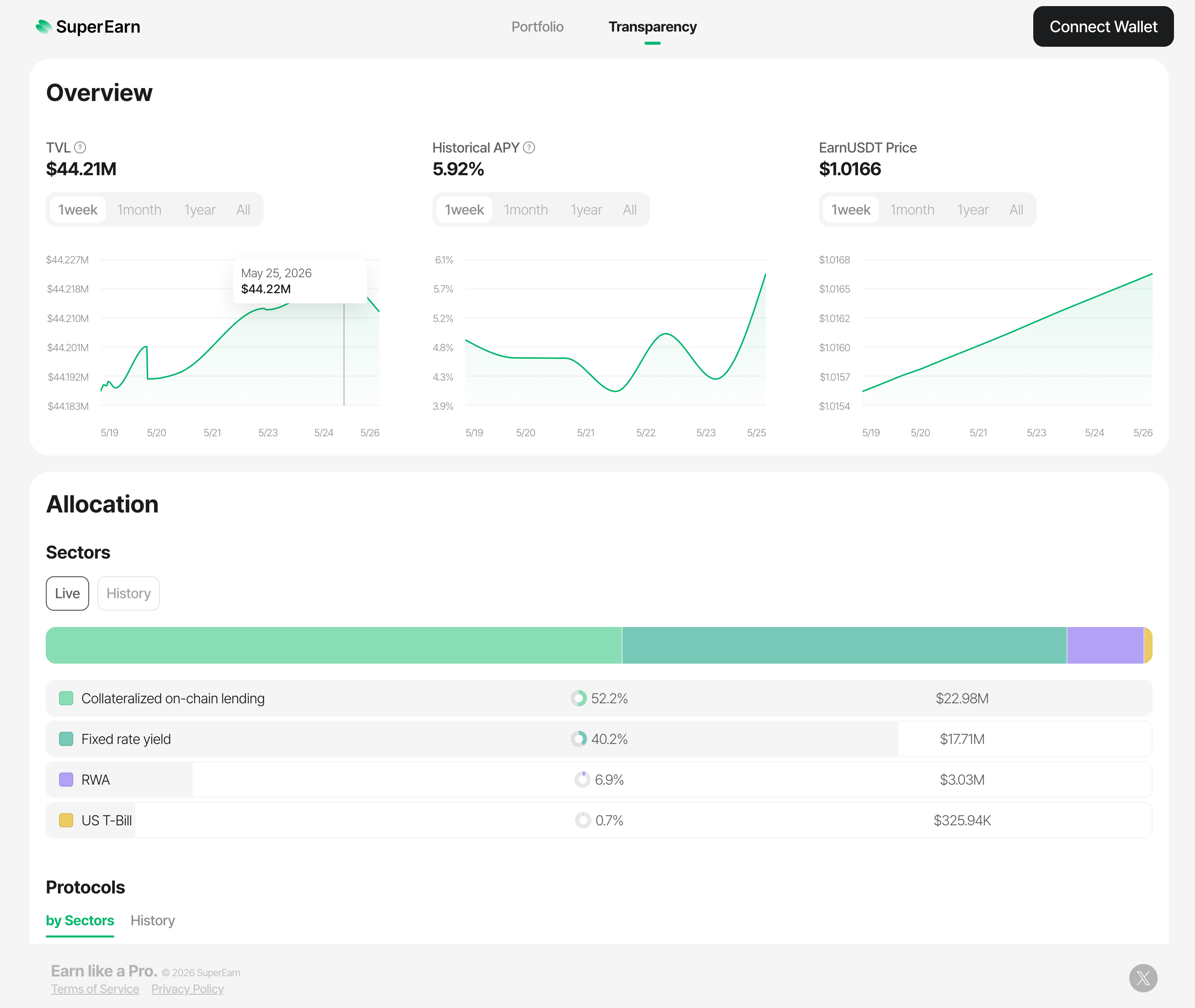
You can now open the Transparency Dashboard from your portfolio to see exactly where SuperEarn deploys your deposits. The dashboard shows live allocation across protocols and sectors, a historical APY chart, and a per-protocol APY breakdown — all sourced directly from on-chain data.
Transparency, to us, means more than publishing numbers — it means making them legible and answerable. Every APY on the page carries a tooltip explaining what it measures and how it was computed, so you're never asked to trust a single headline figure. Sectors are described the way you'd actually describe a position — "Collateralized on-chain lending", "Fixed rate yield", "Delta neutral", "RWA" — instead of protocol jargon. And you can move between 1 week / 1 month / 1 year / All views on each section to ask your own questions of the data, rather than the ones we'd choose for you. The goal is simple: you should be able to check our work, and now you can.
Full desktop experience
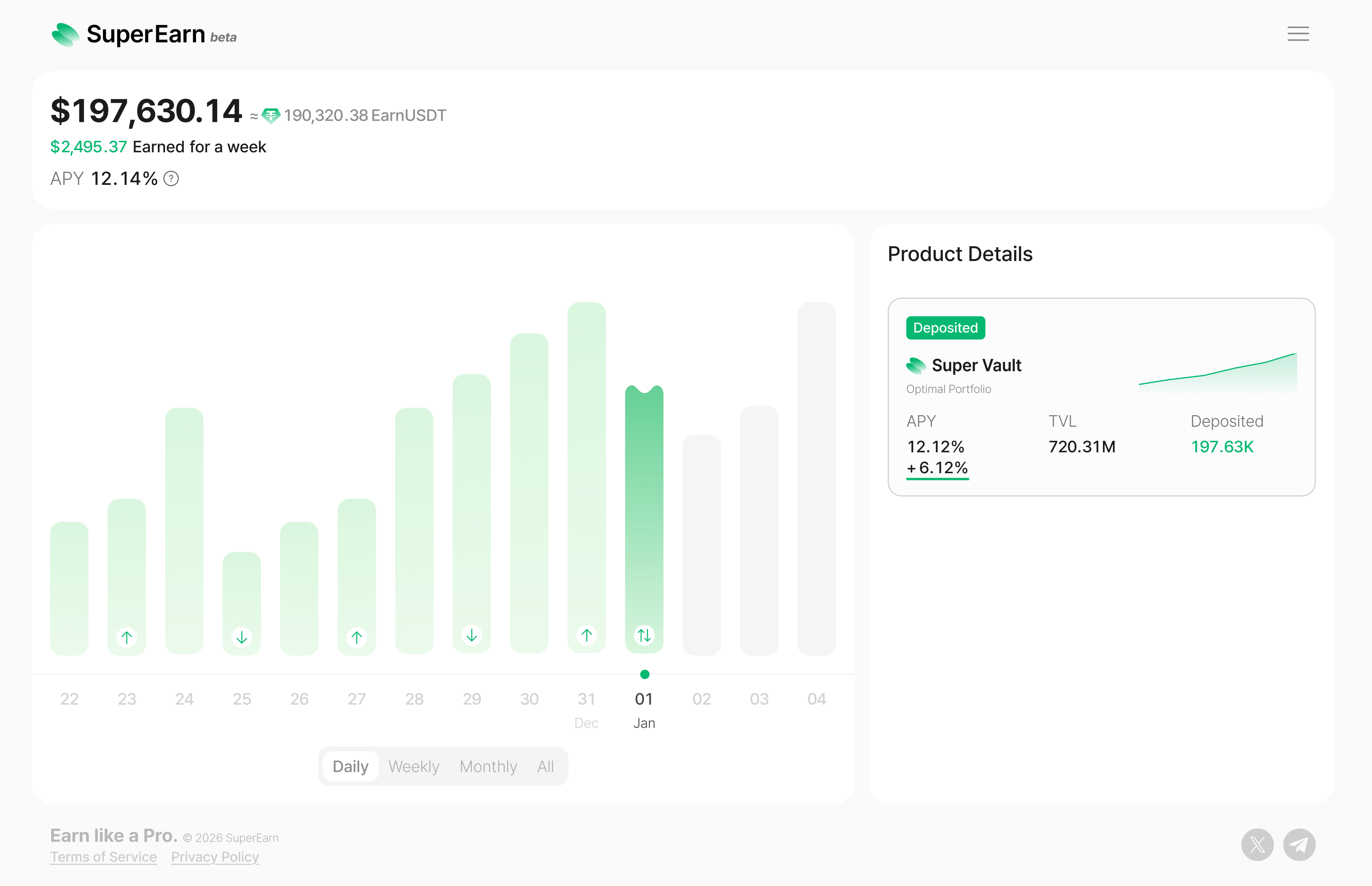
SuperEarn now works on desktop browsers. If your screen is wide enough, the app automatically switches to a spacious layout with a header, footer, and larger text — no more squinting at a mobile view on your laptop.
Your portfolio chart, market list, and product details all take advantage of the extra space. Deposits, withdrawals, and other actions open in a centered panel so you stay in context.
Keep using the app while transactions process
Binance Pay deposits no longer require you to wait on a status screen. After you confirm a transaction, a small indicator appears at the bottom of the screen so you can continue browsing your portfolio, check market details, or start another action.
When the transaction completes, you get a notification with the result. If you close the app and come back, it picks up where you left off.